.svg)
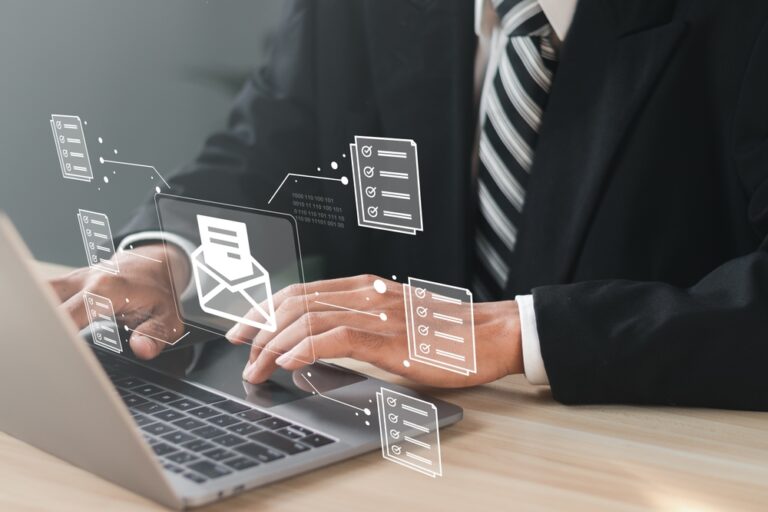
In summary, automating customer payment reminders involves using software or a workflow to send payment reminders without any human intervention at each stage. The system triggers reminders based on predefined rules—such as a past due date, an outstanding balance, or the customer’s profile—via email, text message, or mail. The result: less cash tied up, fewer hours wasted on repetitive tasks, and a more consistent customer relationship. This guide explains in practical terms how to implement this in an SME, which tools to choose, and what the limitations are.
Manual customer follow-ups are among the most time-consuming and often overlooked tasks in a small business. A sales representative who follows up manually, an accountant who sends emails one by one—the time wasted amounts to dozens of hours per month. Yet automating customer follow-ups is now accessible to all businesses, without the need for a massive software investment.
Key Takeaways
- According to industry studies, automating collection efforts reduces DSO (average collection period) by 20 to 40 percent.
- Manual follow-up takes between 3 and 7 minutes per invoice. With 200 invoices per month and a 15% delinquency rate, this amounts to up to 21 hours of work lost each month on low-value tasks. This directly impacts team productivity and engagement
- Automation does not eliminate the need for a credit manager. It frees up their time for cases that are worth the effort.
- For small and medium-sized businesses already using Microsoft 365, Power Automate is often the quickest way to get started without any additional software costs.
What is automated customer follow-up?
The automation of customer payment reminders refers to the use of software or an automated workflow to send payment reminders without any human intervention at any stage. The system triggers reminders based on predefined rules: past due date, outstanding amount, and customer profile.
There are three main categories of tools:
Specialized software
Pennylane, Billit, Cegid. These platforms natively integrate a payment reminder module into their invoicing management systems. Ideal if you're overhauling your accounting software or starting from scratch.
General-purpose automation tools
Power Automate, Make, Zapier. These tools connect your invoicing software to your CRM or email system to create customized workflows. For small and medium-sized businesses looking to take things a step further, our teams offer customized development and automation support, with full integration into your existing information system.
RPA (Robotic Process Automation) Solutions
They automate repetitive manual tasks, including data entry in software without an API. This is particularly useful for legacy environments or older-generation ERP systems.
In any case, the goal is the same: to send the right reminder to the right customer at the right time, without involving the finance or sales teams every time.
Why Automate Customer Follow-ups?
Reduce Days Sales Outstanding (DSO)
DSO(Days Sales Outstanding) measures the average time between invoicing and receipt of payment. In France, the legal payment term for business-to-business transactions is 30 days (60 days if agreed upon in a contract). However, the Banque de France estimated in 2024 that the average payment delay for SMEs exceeded 12 days. Automation automatically reduces this figure by eliminating oversights and speeding up payment reminders.
Free up time spent on administrative tasks
Amanual follow-up takes 3 to 7 minutes per invoice: contacting the customer, drafting the email, and tracking the response. With 200 invoices per month and a 15% delinquency rate, this amounts to between 9 and 21 hours of work per month. Automation reduces this to just a few minutes of initial setup.
Improving Customer Relations
Awell-designed automated follow-up improves customer relations. It ensures regular, fact-based reminders, avoids the awkwardness associated with late manual follow-ups, and allows the tone to be tailored to the customer’s profile (key account, regular customer, new customer).
How does an automated follow-up process work?
Define follow-up scenarios
A workflow is a sequence of actions that are triggered automatically based on certain conditions. A typical example for an SME:
- 3 days before the due date: a friendly reminder email.
- Day 1: Second email, in a slightly firmer tone.
- Day 7: Email with a copy to the client's finance manager.
- Day 15: A phone call is triggered in the sales rep's CRM.
- Day 30: Registered mail or automatic formal notice.
Each step can be tailored based on the invoice amount, the customer's tenure, or the industry.
Choosing Follow-Up Channels
Email remains the primary channel for automated B2B follow-ups (low cost, traceability, ease of customization). Text messages are effective for urgent follow-ups or small B2C debt collection. Some tools also allow for the automatic generation of letters or the creation of tasks in the CRM to trigger a call.
Integrate with your ERP or CRM
The effectiveness of an automated dunning system depends on its integration with billing data. If your ERP updates payment statuses in real time, the dunning software can automatically trigger or stop sequences as soon as a payment is recorded—thereby avoiding dunning notices after payment, which can cause friction with customers.
What software can be used to automate customer follow-ups?
For small and medium-sized businesses that already use Microsoft 365, Power Automate is often the fastest solution to deploy, with no additional software costs. IT Systèmes can assist you in configuring and integrating these tools with your existing environment.
The 4 Steps to Getting Started Without Messing Up
1. Map out what already exists
List your average payment terms, the number of unpaid invoices per month, and the staff involved. These three figures determine everything else.
2. Outline your scenarios on paper before setting them up
How many steps? At what intervals? What tone should be used depending on the type of customer? Who needs to be notified internally? Take an hour to map this out—you’ll save yourself several days of setup work.
3. Choose the tool based on your ERP, not the other way around
The best dunning software is the one that integrates seamlessly with your billing data system. A brilliant tool that doesn't work well with your ERP creates more problems than it solves.
4. Test with 20 to 30 customers before rolling it out to everyone
Launch the sequence on a small segment. Verify that the triggers are working, that the emails are being delivered properly, and that follow-ups stop once payment is recorded. Only then should you roll it out on a large scale.
What Automation Can't Solve
Outdated contact information. If your customer records contain email addresses that no longer work, your follow-up messages will go unanswered. Cleaning up the database is often a prerequisite.
Synchronizing payment statuses. A delay in updating your ERP system can result in payment reminders being sent after payment has been made—a source of customer friction.
Complex cases. Disputes, exceptional discounts, or strategic customers always require human intervention. Automation should make it easy to exclude these cases.
Tailoring the tone. A follow-up that sounds too cold or too robotic can damage the relationship. Plan for variations based on the customer segment.
Frequently asked questions
How much does debt collection automation software cost?
Dedicated SaaS solutions (Pennylane, Billit) typically cost between €40 and €200 per month, depending on the volume of invoices. Power Automate is included in Microsoft 365 Business, starting at €12.50 per user per month. Custom RPA solutions involve development costs, typically starting at €3,000.
Does automating collection reminders replace the credit manager?
No. It eliminates repetitive, low-value-added tasks, but the credit manager remains essential for handling disputes, negotiating payment schedules, and making decisions on complex cases.
How long does it take to implement an automated reminder system?
With a tool like Power Automate or HubSpot, a simple initial workflow can be up and running in 1 to 2 days. A full integration with an ERP system and several custom workflows typically takes between 2 and 6 weeks.
Is it possible to automate follow-ups without specialized software?
Yes. Using Gmail or Outlook in conjunction with Google Sheets or Excel, you can create simple automatic reminders using scripts (Google Apps Script, Power Automate). This is a viable approach for very small organizations, but it has limitations in terms of customization and tracking.
What are the regulations regarding payment reminders in France?
The LME Act (Law No. 2008-776 of August 4, 2008) sets the framework for payment terms between businesses: 30 days by default, with a maximum of 60 days if agreed upon in a contract. Beyond these terms, late payment penalties apply automatically (ECB rate plus a minimum of 10 basis points).






.svg)