.svg)

An SME that fails to respond to customer inquiries at night will lose those leads. It’s as simple as that. AI agents available around the clock are no longer the exclusive domain of large corporations: they are affordable, quick to deploy, and many French SMEs are already using them to capture leads at 11 p.m. or handle support tickets on weekends without having to bring in additional staff.
Responding to customers at 3 a.m., qualifying incoming leads, generating quotes, and routing support tickets: this guide covers the definition of an AI agent, its measurable benefits, available solutions, and the operational steps for automating certain processes within your organization.
Agent IA pour PME : l'essentiel
Un agent IA est un programme qui comprend une demande, consulte vos outils (messagerie, CRM, agenda) et agit, de jour comme de nuit. Pour une PME, il prend en charge des tâches répétitives et bien cadrées : répondre aux questions fréquentes, qualifier un contact, traiter un ticket de support de premier niveau. Un agent sur une seule tâche démarre à partir de 5 000 € ; une solution à plusieurs agents peut atteindre 30 000 €. Chez IT Systèmes, notre agent Helpy a clos 60 % des tickets de support de niveau 1 sans intervention humaine sur juin, juillet et août 2026.
01. What is an autonomous AI agent, and how does it work?
An autonomous AI agent is a program capable of perceiving its environment, reasoning, and acting independently to achieve predefined goals. A traditional chatbot follows a decision tree: if the user types X, respond with Y. An AI agent powered by a large language model understands context, retains information across interactions, integrates with external tools (CRM, ERP, email, calendar), and makes decisions based on available data.
Its round-the-clock availability is the most obvious practical advantage: the agent never sleeps, never takes time off, and handles the hundredth request of the day with the same precision as the first.
To explore the definition further and learn about use cases already implemented in businesses, this article details five real-world scenarios involving AI agents in a professional setting, along with their quantified benefits.
Technical Components of an AI Agent in a Business Setting
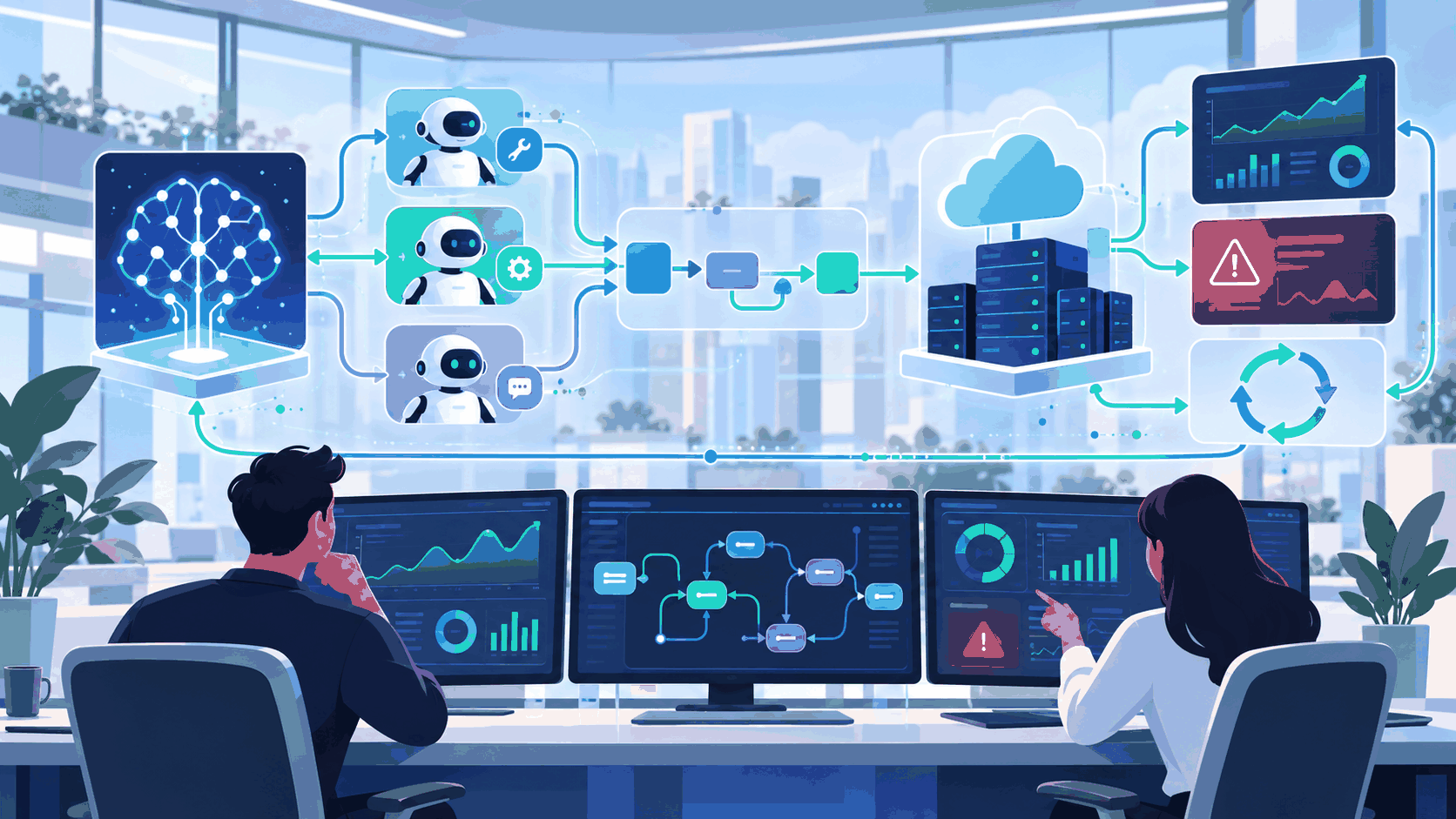
An agent deployed in an SME relies on four main components. The language model (LLM) understands and generates text: Claude, GPT-4o, and Gemini are examples of this. The memory retains the conversational context and customer history to ensure continuity in interactions. The tools act as connectors to your business applications: CRM, databases, and management APIs. The orchestrator is the logic that determines when and how to use each tool to perform the requested actions automatically.
02. Measurable Benefits: Why SMEs Are Adopting AI Agents
The value of an AI agent for an SME goes beyond mere cost savings. It represents a shift in how the business operates and serves its customers.
Support is available 24 hours a day at no extra charge
On average, small and medium-sized businesses in e-commerce, the restaurant industry, or B2B services lose 30% of their incoming inquiries outside of business hours. An AI assistant captures these calls and messages in real time, with no additional charges for off-hours service. Every call and every message received at 3 a.m. is handled with the same level of quality as during business hours.
Freeing teams from repetitive tasks
Answering FAQs, qualifying leads, generating standard quotes, scheduling appointments, and routing support tickets: these are high-volume, low-variability tasks. Delegating them to an AI agent frees up time for complex customer interactions, consultative selling, and strategic decision-making. Your employees can focus on what creates value, rather than on repetitive data entry.
Handling peak workloads without hiring
During a product launch, the holiday season, or a marketing campaign, the volume of inquiries can double or triple within a matter of hours. An agent can handle 10,000 simultaneous conversations without compromising quality. An SME can handle this workload without having to hire staff on short notice, provide crash training, or risk losing staff at the end of the period.
Return on Investment and Cost Savings for an SME
For an SME with 20 employees in the service sector, deploying an agent for customer support or qualification costs between €5,000 and €15,000 (setup and first six months). The return on investment is achieved in 6 to 12 months, calculated based on the time saved on Level 1 tasks: between 2 and 4 hours per employee per week. This time savings is sufficient to justify the initial investment and begin generating profit.
03. The 7 Types of AI Agents: Which One Is Right for Your Use Case?
This question often comes up in discussions about AI in business. Here are the seven categories from Russell and Norvig’s classification, along with their practical applications for small and medium-sized businesses.
Simple reactive agent: responds to stimuli according to fixed rules. Example: a chatbot that displays opening hours when asked.
Internal-model agent: maintains a representation of the state of the world. Example: an agent that knows that the inventory of Product A is low and adapts its responses accordingly.
Goal-oriented: plans actions to achieve a specific goal. Example: a sales representative who asks the right questions until a meeting is scheduled.
Utility agent: weighs various options to maximize an outcome. Example: an HR agent who ranks job applications based on several weighted criteria.
Learning agent: improves based on feedback. Example: a support agent who identifies the most frequently asked questions and refines their responses over time.
Multi-agent: Collaborates with other AIs on complex tasks. Example: An orchestrator that coordinates tasks among a CRM agent, an email agent, and a calendar agent.
Conversational agent (LLM): understands and generates natural language with deep contextual understanding. This is the most widely used type in small and medium-sized businesses in 2026.
For 90% of SMEs, a chatbot equipped with business-specific tools is the most effective solution and the quickest to deploy. Multi-agent architectures are suitable for complex use cases or advanced automation needs, but are rarely necessary in the initial phase.
04. Use Cases by Industry: Real-World Examples for SMEs
Here are the most common and cost-effective use cases observed among French SMEs.
E-commerce and retail: automated order tracking, returns management, context-based product recommendations, answering customer questions outside of business hours, and reducing cart abandonment rates. The agent handles incoming inquiries 24/7 without human intervention, except for complex cases.
B2B Services: Qualifying incoming leads, automated appointment scheduling, generating standard quotes based on prospect data, and routing leads to the appropriate contact. An agent seamlessly connected to a custom CRM can qualify a lead, log it, and schedule a follow-up call without human intervention. For digital services firms and IT service providers, an agent can also handle Level 1 support tickets—which is exactly what we’ve implemented in our own managed services operation, as detailed in our Helpy case study.
Health and Wellness: 24/7 appointment scheduling via the website or text message, automatic reminders before appointments, referral to the appropriate healthcare provider based on symptoms, and health data management in strict compliance with the GDPR.
Construction and trades: categorizing quote requests by specialty, automatically scheduling jobs based on availability, keeping clients updated on project progress, and managing technical documents and quotes.
Restaurants and hotels: online reservations available 24/7 (no waiting on hold), handling of special requests (dietary needs, allergies), responding to customer reviews, and automated allergen management in the database.
HR and Recruitment: Initial CV screening and skills matching, candidate assessment via automated questionnaires, interview scheduling, automated onboarding (document delivery, access assignment), and self-service responses to employee questions.
Accounting and management: automated entry of invoices and expense reports, bank reconciliations, follow-ups with customers regarding unpaid invoices, preparation of monthly closings, and data extraction from accounting documents. An accounting firm reduced the time spent on its accounting processes by 40% using an AI agent, without modifying its business software.
Agent IA en PME : quels usages selon la taille de l'entreprise ?
- Moins de 10 salariés : l'enjeu est de ne plus perdre de demandes quand personne n'est disponible. Un agent répond aux questions fréquentes, prend les rendez-vous et transmet les demandes qualifiées, sur le site ou par e-mail.
- De 10 à 49 salariés : les tâches répétitives se multiplient entre services. Un agent relié au CRM ou à l'outil de tickets qualifie les contacts entrants, prépare des devis simples à partir de modèles ou traite le support informatique de premier niveau.
- De 50 à 249 salariés : plusieurs agents peuvent cohabiter, chacun sur son périmètre, avec des droits limités, un responsable désigné et des traces. La question devient celle de leur gouvernance : voir notre guide sur la gouvernance des agents IA.
Pour les entreprises qui veulent aller plus loin, notre page agents IA pour les entreprises présente les projets que nous menons, et notre article sur l'opérateur d'infrastructure agentique explique comment faire tourner des agents dans la durée.
05. Which solution should you choose for 24-hour operation?
There is no one-size-fits-all solution. The choice depends on your use cases, your budget, your sovereignty requirements, and the tools you already use: an SME running entirely on Microsoft 365 and an SME using a variety of tools will not arrive at the same solution.
Rather than repeating a list here that quickly becomes outdated, we maintain a dedicated comparison table that includes prices, data hosting, and the technical requirements for each tool: automation and AI agents—a comparison of the tools available on the market.
There is one criterion worth adding to the evaluation grid when continuous availability is the goal: the quality of the handoff. An agent who answers calls at night but loses track of the context of the conversation when a human takes over the case the next morning causes more frustration than an automated response system. Be sure to test this aspect before signing a contract; it’s never listed in the product specifications.
Second criterion specific to 24/7 operations: what happens when the agent doesn’t know. A proper, time-stamped escalation with the complete history included is better than a rough response generated at 4 a.m. with no one around to correct it.
06. Creating an Autonomous AI Agent for Your Small Business: Three Practical Approaches
Yes, it is possible. By 2026, deploying an AI agent will no longer require advanced development skills. There are three approaches, depending on the desired level of complexity and the available technical resources.
No-code and low-code platforms such as n8n, Make, Zapier, and Voiceflow allow you to build a chatbot without writing any code. They can be deployed in just a few days for common use cases (FAQs, simple screening, and routing). Configuration is visual, and the connectors are ready to use. Ideal for a quick MVP, but less suitable for highly specific needs or the integration of proprietary tools.
Turnkey solutions are preconfigured and up and running quickly, with no technical work required on your part. IT Systèmes offers Save Time Factory, an automation platform with built-in AI that operates 24/7 and is fully deployed by our experts. It connects your software applications (even without APIs), automates your repetitive processes using an OCR robot, and enriches your data with AI: document classification, data extraction from invoices or contracts, and generation of context-aware responses. It’s the fastest way for an SME to achieve tangible results without involving its technical teams.
Custom development is ideal for addressing specific needs or complex integrations with sophisticated existing information systems. IT Systèmes supports small and medium-sized businesses on these types of projects, from requirements definition through to deployment and maintenance. For projects requiring a precise methodology and scope definition, this article details our approach to custom development: realistic timelines, transparent budgeting, and clear organization.
Par où commencer : la première tâche à confier à un agent IA
La bonne première tâche coche cinq cases :
- Elle revient souvent : plusieurs fois par jour, pas une fois par mois.
- Ses règles sont claires : on sait écrire ce qu'est une bonne réponse.
- Une erreur coûte peu : l'agent informe ou prépare, un humain valide ce qui engage l'entreprise.
- Les informations existent déjà : FAQ, fiches produits, procédures, historique de demandes.
- Le résultat se mesure : nombre de demandes traitées sans humain, délai de réponse, transferts vers un humain.
Exemples de bons premiers projets : les questions fréquentes des clients, la qualification des demandes entrantes, le support informatique de premier niveau. Prévoyez dès le départ quand l'agent passe la main : chez IT Systèmes, l'agent Helpy répond 24 h sur 24, et l'utilisateur obtient un technicien en écrivant « humain » pendant les horaires de l'équipe, de 8 h à 19 h.
6 Practical Steps for Automating a Process with an AI Agent
Step 1: Choose a specific use case to automate. Identify a high-volume, low-variability task, such as answering your customers’ 20 most frequently asked questions. Avoid starting with a complex use case involving multiple systems: focus on something that is easy to measure and reproducible.
Step 2: Build the database and knowledge base. Compile FAQs, product descriptions, internal processes, sales scripts, and examples of successful interactions. The quality of the agent depends directly on the quality and comprehensiveness of this data: it is the fuel that powers your agent.
Step 3: Select the solution and AI model. Choose the LLM and platform that best fit your budget, GDPR requirements, and necessary integrations. Options include no-code, low-code, turnkey, or custom development.
Step 4: Configure and test. Define the agent’s tone, its limits, and the situations in which it should transfer the call to a human for a decision. Test with real-world scenarios before going live: this is the final validation step.
Step 5: Deploy and measure. Self-service resolution rate, measured customer satisfaction, volume handled, and number of transfers to a human agent: track these four metrics from the start to validate the return on investment.
Step 6: Refine and expand gradually. Refine the agent based on the feedback and issues identified, then gradually expand it to other simple use cases. Avoid a sudden rollout: an iterative approach reduces risks and encourages adoption.
07. Which Jobs Are Safe from AI Automation: A Realistic Analysis
AI automates tasks, not entire professions. This distinction is fundamental. An accountant who spends 60% of their time on data entry and reconciling entries will see that part of their work automated. They will not be replaced if the remaining 40% (tax advice, client strategy, complex decision-making) continues to hold real value.
Three categories of jobs remain structurally difficult to automate, even with the most advanced AI.
Professions centered on human interaction: therapists, social workers, general practitioners, teachers, and HR managers. The value of these professionals lies precisely in what an AI agent cannot offer: trust built over time, the ability to read nonverbal cues, physical presence, and genuine empathy.
Roles that combine a broad perspective with personal accountability: entrepreneurs, creative directors, complex project managers, and systems architects. These roles require making decisions in the face of uncertainty and taking personal responsibility for the consequences. An agent may produce analyses, but cannot assume legal or ethical responsibility.
Manual trades in varied environments: electricians, plumbers, surgeons, and specialized mechanics. Working in confined spaces, adapting one’s movements to unforeseen situations, and making diagnoses through touch or hearing: while robotics is advancing, these human skills will remain essential for a long time to come.
In these three categories, professionals who use AI tools to save time on documentation, research, or repetitive tasks will have a clear advantage over those who do not.
Prix et sécurité d'un agent IA pour une PME
Le prix. Chez IT Systèmes, un agent IA dédié à une seule tâche démarre à partir de 5 000 € ; une solution à plusieurs agents, reliée à vos logiciels métier, peut atteindre 30 000 €. Pour le support informatique des collaborateurs, notre helpdesk IA démarre à 15 € HT par utilisateur et par mois, à partir de 5 utilisateurs. Le détail des postes de coût figure dans notre article combien coûte un agent IA en entreprise.
La sécurité. Un agent agit avec de vrais accès : il se sécurise comme un collaborateur qu'on vient d'embaucher.
- Lui donner sa propre identité et le minimum de droits (voir notre guide sur l'identité des agents IA).
- Garder une validation humaine pour ce qui engage l'entreprise : paiement, envoi de données, suppression.
- Conserver une trace de ses actions, pour savoir qui a fait quoi.
- Informer vos clients qu'ils échangent avec une IA : c'est une obligation depuis le 2 août 2026 (article 50 du règlement européen sur l'IA).
Pour aller plus loin : comment sécuriser un projet d'agent IA en entreprise.
08. Questions fréquentes : agent IA pour PME
Qu'est-ce qu'un agent IA pour une PME ?
C'est un programme qui comprend une demande, consulte les outils de l'entreprise (messagerie, CRM, agenda) et agit, de jour comme de nuit. Dans une PME, il prend en charge des tâches répétitives et bien cadrées, et passe la main à un humain quand il le faut.
Par quelle tâche commencer avec un agent IA ?
Par une tâche fréquente, aux règles claires, où une erreur coûte peu et dont le résultat se mesure : les questions fréquentes des clients, la qualification des demandes entrantes ou le support informatique de premier niveau.
Can I create an AI agent for my business?
Oui. Des plateformes no-code comme n8n ou Make permettent de déployer un premier agent IA en quelques jours sans compétences techniques poussées. Pour une mise en place sans effort technique, IT Systèmes déploie Save Time Factory : nos experts réalisent l'audit complet de vos processus, les connexions à vos outils et la configuration métier. La plateforme intègre l'IA directement dans vos flux de travail : extraction de données depuis des documents, classification intelligente, génération de réponses, sans que vous ayez à assembler vous-même les briques techniques.
For complex integrations with an existing CRM or ERP system, IT Systèmes handles development, deployment, and ongoing maintenance. Our approach to custom development is detailed here, with full transparency regarding timelines and budget.
What is the best AI solution for a small business?
It depends on your current tools, your industry, and your data constraints. Rather than making a decision based on abstract considerations, compare solutions based on the criteria that really matter: actual price, data hosting, technical requirements, and the quality of the connectors to your business tools. Our comparison of automation and AI agent tools reviews them one by one, along with their listed prices.
Especially for 24/7 use, the decisive factor is rarely the model's raw performance: it's how well it integrates with your CRM and how smoothly it hands off to a human agent when needed.
What are the 7 types of AI agents?
Simple, internal-model-based, goal-oriented, utility-driven, learning, multi-agent, conversational (LLM). For the majority of SMEs, a conversational agent equipped with business tools will cover 90% of actual needs by 2026. Five concrete use cases are detailed here, along with real-world deployment data.
Which three jobs will survive AI automation?
The question is misguided: AI automation eliminates tasks, not entire professions. The most resilient jobs are based on human interaction, a sense of responsibility, and manual skills suited to changing environments. In all these areas, professionals who master and use AI tools will work better and faster than those who ignore them, thereby creating a lasting competitive advantage.
How much does an AI agent cost for an SME?
The ranges vary depending on the actual scope of the implementation. As a rough guide, based on market data for 2026:
Un premier agent IA ciblé sur un seul cas d'usage (support client de niveau 1, qualification de leads, prise de rendez-vous automatisée) se situe à partir de 5 000 € pour une mise en place opérationnelle et testée. Un agent plus élaboré, connecté à un ERP ou un CRM avec plusieurs scénarios métier et intégrations complexes, peut atteindre 30 000 € pour une solution multi-agents.
A breakdown by item—including the license—is provided in our article dedicated to the cost and ROI of an AI agent.
These price ranges depend on the level of integration with your existing tools, the volume of requests, and the complexity of the business language. IT Systèmes defines each project by conducting a use case audit before providing a precise quote. Contact us for an estimate tailored to your situation.
Pour les agents IA dédiés au support informatique interne, voir notre solution helpdesk IA à 15 €/utilisateur/mois.
Does an AI agent comply with the GDPR?
Yes, provided the technical architecture is well-designed and documented. Key points to verify: a signed Data Processing Agreement with the AI model provider; hosting of sensitive data in Europe to comply with legal requirements; and clear and explicit disclosure to your customers indicating that they are interacting with AI. As of August 2, 2026, this disclosure is no longer just a best practice but a legal requirement: Section 50 of the AI Act mandates that users be notified that they are interacting with an AI. Mistral AI is the simplest option for French companies that cannot export sensitive data outside the EU, since all servers are located in France.
IT Systèmes has been supporting French small and medium-sized businesses in their digital transformation since 2010, including regulatory compliance and data security. For an audit of your current situation and your ability to deploy an AI agent in compliance with regulations, contact us.






.svg)