.svg)

AI agent: what exactly is it?
Since late 2024, everyone has been talking about AI agents. Software publishers include them in their brochures, consulting firms fill their slides with them, and LinkedIn is overflowing with self-proclaimed experts predicting that 80% of jobs will disappear by next Tuesday.
Behind this term, however, the reality is much simpler: an AI agent is autonomous software capable of analyzing a situation, making decisions, and executing actions without human intervention.
AI agents are transforming business process automation. Unlike a simple chatbot, they don't just answer questions: they can analyze data, decide what to do, and take action directly in information systems.
The problem? Behind the term "AI agent," you can find anything and everything. From chatbots renamed to sound modern to RPA dressed up as AI to justify a price increase. And sometimes, real technological building blocks that tangibly change the way a company operates.
This article cuts through the clutter. No unnecessary jargon, no science fiction promises. We explain what an AI agent really is, how it works under the hood, what sets it apart from a chatbot or traditional software robot, and above all: when it's worth looking into if you run an SME or mid-sized company in France.
AI agent: the concrete definition
An AI agent is a computer program capable of perceiving its environment, reasoning based on objectives set for it, making decisions, andexecuting actions in real systems—all without the need for human intervention at every step.
In other words: where a chatbot answers a question, an AI agent solves a problem. Where a script executes a fixed sequence, an AI agent adapts its behavior based on the context.
Let's take a simple example. You ask a traditional chatbot: "Reset Jean Dupont's password." The chatbot sends you a link to a form or forwards a ticket to IT support. End of story.
An AI agent will: verify the identity of the requester in Active Directory, check that John Smith has the necessary rights on the system in question, execute the reset in the directory, generate a temporary password that complies with security policy, send a secure notification to the employee, and log the operation in the SIEM. All this in 15 seconds, without escalation or a level 2 ticket.
Key takeaways
An AI agent combines four capabilities that traditional tools do not have simultaneously: natural language understanding, contextual reasoning, access to information systems, and autonomous execution of actions.
How does an AI agent work? The 4 essential building blocks
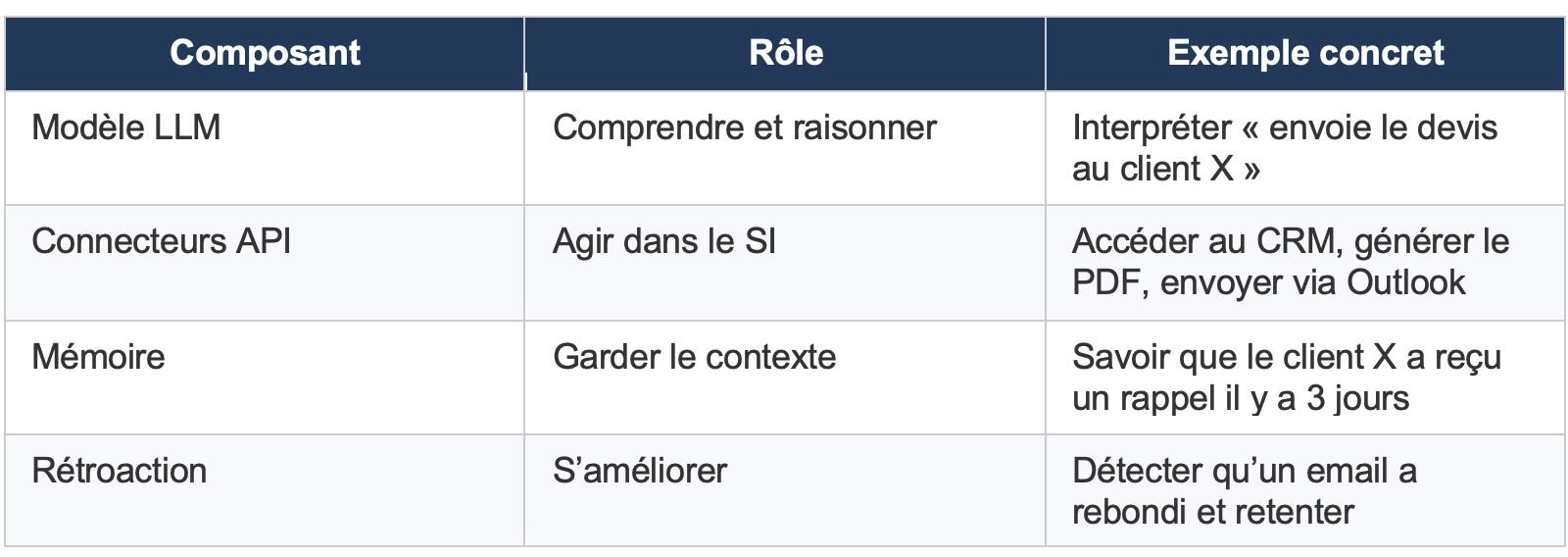
An AI agent is not a single magic model. It is an architecture that assembles several components, each with a specific role. If one is missing or poorly configured, the whole thing doesn't work. This is where most projects go off the rails.
1. The language model (LLM): the brain
It is the engine of understanding and reasoning. GPT-4, Claude, Mistral, Llama—whatever the model, its role is to understand a request made in natural language and decide what to do. It does not store any of your company's data. It just reasons. Tools such as Microsoft Copilot Studio already allow you to create agents based on these models and connected to your Microsoft 365 data—this is an excellent first step, which we are deploying for our customers.
2. Tools and connectors: arms
An LLM alone cannot do anything useful in your IT system. Connectors (REST APIs, webhooks, database access) are what enable the agentto take concrete action: read a file in your CRM, create a ticket in ServiceNow, modify a record in the ERP, send an email via Outlook. This is what differentiates an AI agent from an automation tool: the agent doesn't just execute a predefined workflow, it decides which workflow to trigger based on the request.
3. Memory and context: continuity
An effective agent remembers what they have done, what they have been told, and the context in which they operate. This memory can be short-term (the current conversation) or long-term (the history of interactions with a colleague, a customer's preferences). This is what allows them to avoid asking the same questions during each interaction.
4. The feedback loop: improvement
A well-designed AI agent incorporates feedback mechanisms. When an action fails (the API returns an error, the process is blocked), the agent analyzes the error, tests an alternative, or escalates the problem to a human. It learns from its mistakes. Not in the poetic sense of the term, but in the technical sense.
AI agent vs. chatbot vs. RPA: let's clear up the confusion
This is probably the number one source of misunderstanding in the market. A CIO receives three sales proposals in the same week: an "AI chatbot," an "intelligent RPA robot," and an "autonomous AI agent." All three promise the same thing. None of them do the same thing.

The classic pitfall: confusing an "enhanced" chatbot (which uses GPT to generate more natural responses) with a true AI agent (which performs actions in your systems). A chatbot connected to ChatGPT is still a chatbot. It speaks better, but it doesn't do anything. We detail this distinction in our comprehensive comparison of AI agents vs. chatbots vs. RPA.
The simple test
Ask yourself this question: can this tool create an order in my ERP without human intervention? If the answer is no, it is not an AI agent. It is a conversational assistant.
Why AI agents will replace certain workflows
For years, business automation has been based on fixed workflows:
one action triggers a step, then another, then another.
This model works very well for simple, well-defined processes: synchronizing data between two tools, sending a notification, or generating an automatic report.
But as soon as a process requires interpretation, analysis, or decision-making, these workflows quickly reach their limits.
This is precisely where AI agents are changing the game.
Unlike a traditional workflow, an AI agent does not follow a fixed path.
It analyzes the situation, understands the goal to be achieved, and chooses the actions to be taken to achieve it.
Let's take a concrete example.
A workflow can automatically send a customer reminder 7 days after an unpaid invoice.
An AI agent, on the other hand, can analyze the customer's history, check whether they have had any payment issues in the past, tailor the message sent, or decide to forward the file to a sales representative if the risk becomes high.
In other words:
The workflow automates a task.
The AI agent automates a decision.
This is why AI agents do not replace all existing automation tools. Rather, they complement traditional workflows by handling situations where reasoning is required.
In the following sections, we will look at the areas in which these agents are already being used in practice in companies.
5 concrete use cases in business (with figures)
AI agents are not just for GAFA companies. Here are five scenarios that we regularly deploy in French SMEs and mid-sized companies—with measurable results.
1. Onboarding new employees
The problem: on average, onboarding a new employee requires 12 hours of work divided between HR, IT, and the manager. Creating Microsoft 365 accounts, provisioning access, sending welcome documents, configuring workstations... And we always forget something.
The AI agent connects to the HRIS, detects the expected arrival, automatically creates accounts in Active Directory and Microsoft 365, provisions access according to role, sends personalized communications, and tracks the progress of each onboarding task.
Measured results: 80% reduction in HR/IT time, zero oversights, employees up and running from Day 1. For detailed figures by sector, see our AI agent productivity benchmarks. For a full breakdown of this use case, see our article AI Agent for HR.
2. Automated accounting processing
Supplier invoices, expense reports, reconciliations... In an SME with 50 employees, this easily amounts to two to three days per week of low value-added work. The AI agent extracts data from documents (including scanned or handwritten documents using OCR), validates it according to business rules, integrates it into the accounting system (SAP, Sage, Cegid), and manages exceptions.
Measured result: 60% reduction in processing time, drastic drop in data entry errors.
3. Level 1 IT support
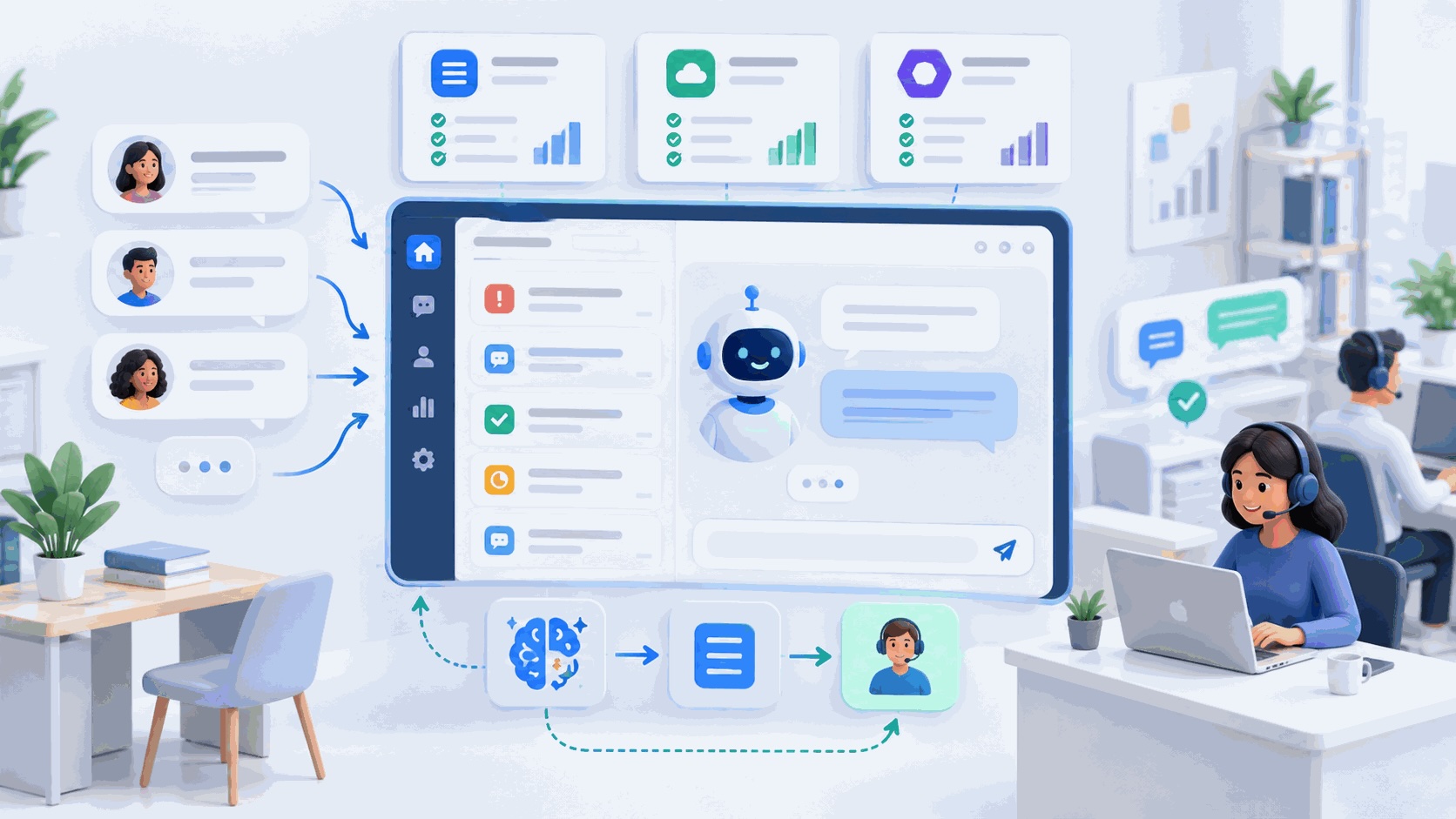
Password resets, access requests, recurring incidents... Between 40% and 60% of IT support tickets in companies are repetitive and follow standardized procedures. The AI agent handles these requests independently: it checks permissions, performs the action in the relevant directory or system, and only escalates complex cases to human support.
Measured result: resolution time reduced by a factor of 5 on N1, IT team freed up for substantive issues.
4. Literature review for regulated professions
Law firms, auditing firms, consulting firms: searching through document databases (contracts, case law, reports) accounts for a huge portion of billable time. The AI agent scans your document database, extracts relevant clauses, identifies risks, and produces structured summaries. A partner can ask it to "Find all contracts with non-compete clauses signed since 2020 in the tech sector."
Measured result: 75% reduction in document search time.
5. Automation of repetitive business processes
Not all processes require a full-fledged AI agent. For repetitive, well-structured workflows—synchronizing data between tools, sending automatic reminders, updating dashboards—a traditional automation tool is often sufficient. That's why Save Time Factory, our turnkey automation solution: you tell us what you need, and our team designs, develops, and deploys the automation. The service is included in the subscription, starting at €19.90/month.
What is the advantage of combining both approaches? Save Time Factory handles simple automation tasks (tool connection, data routing, alerts), while the AI agent takes over tasks that require reasoning, natural language interpretation, or decision-making. To find out which tool is best suited to your needs, check out our comparison of the best AI automation tools in 2026.
Three functions deserve further attention, as they account for the majority of our deployments in French SMEs and mid-market companies: accounting, recruitment, and sales teams.
AI agent for accounting
Accounting processing is one of the first areas where AI agents demonstrate an immediate ROI—and not just for supplier invoices. Beyond automating data entry and reconciliations (as detailed in Case Study #2 above), AI agents provide a layer of analysis that traditional tools do not offer: proactive detection of anomalies in financial flows, automatic reconciliation of credit memos and supplier disputes, and the generation of real-time cash flow reports. For accounting firms, this also serves as a lever to scale up multi-file tracking without increasing headcount. Full details in our article AI Accounting Agent.
AI agent for recruitment
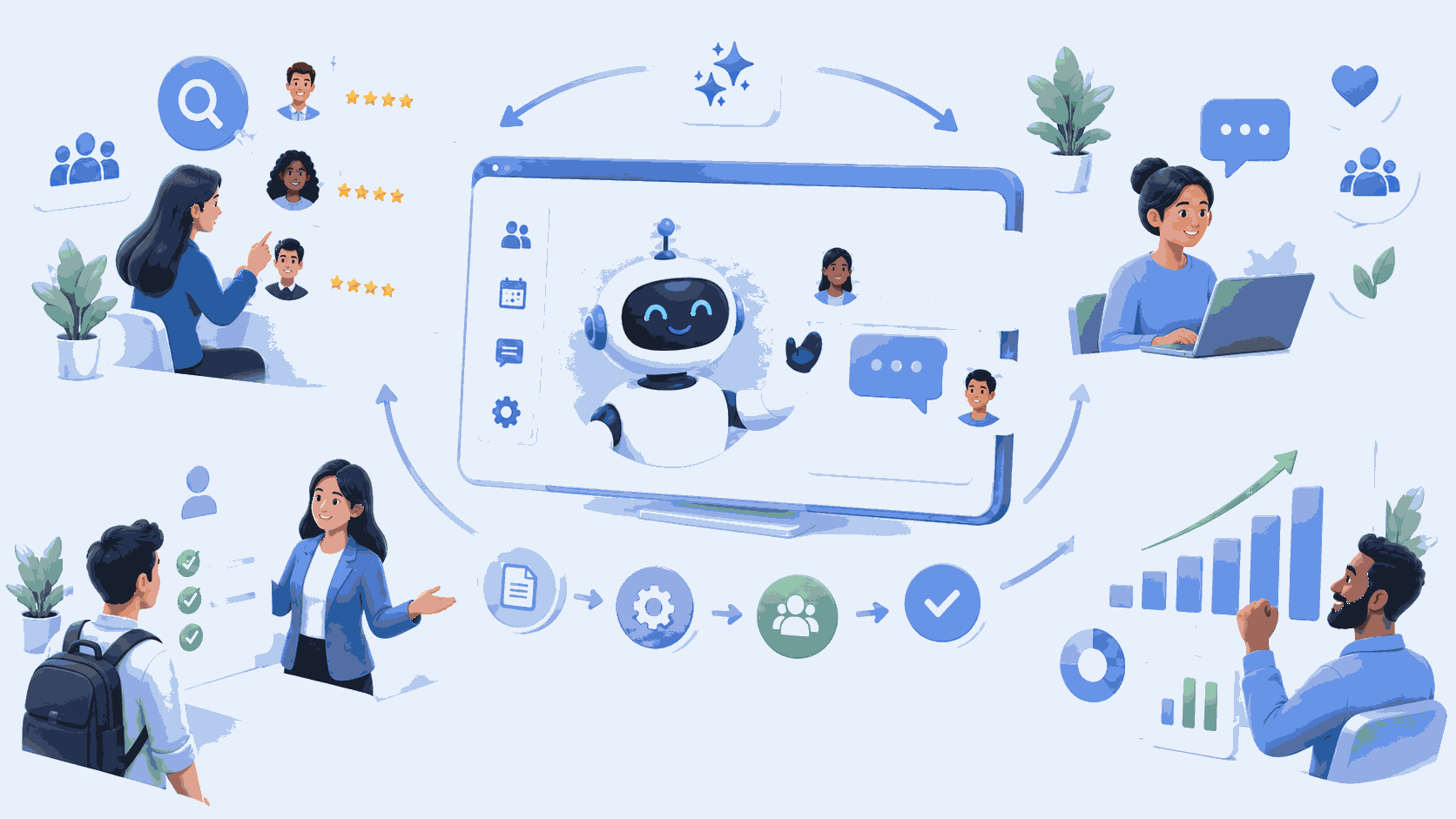
Recruitment is a process that combines exactly the characteristics that make an AI agent relevant: high volume, repetitive tasks (sorting resumes, scheduling interviews, following up with candidates), and the need for natural language processing. In practice, an AI agent can screen applications by cross-referencing resumes with job descriptions and the history of shortlisted candidates, automatically schedule interviews in stakeholders’ calendars, and send personalized messages at each stage of the process. What the agent does not—and should not—do is assess soft skills, evaluate cultural fit, or make the final decision. These steps remain the responsibility of humans, and that is precisely the goal: for the recruiter to spend their time on qualitative evaluation, not on logistics. This use case is discussed in detail in our article AI Agent for HR.
AI agent for sales teams
In a sales team, time wasted on administrative tasks is a structural problem: updating the CRM after each call, manual follow-ups, weekly reports, etc. On average, a sales representative spends less than 35% of their time selling. An AI agent can reverse this ratio by automatically updating CRM records after each interaction, qualifying and scoring incoming leads according to defined criteria, sending personalized follow-ups at optimal times, and generating activity reports without human intervention. What remains for the sales rep: the relationship, the negotiation, the decision. What the agent handles: everything that is mechanical, repetitive, and time-consuming.
How much does an AI agent cost? What nobody tells you
You are told "starting at $500/month." That is technically true. And completely misleading.
The actual cost of an AI agent depends on three factors: the complexity of integration into your IT system, the number of connected systems, and the volume of transactions. An agent that answers FAQs on your website costs $500/month. An agent that processes orders in SAP, checks inventory in the ERP, and updates the CRM is a different budget altogether.
Here are the realistic ranges for an SME/mid-market company in France:

What matters is ROI. An agent costing €3,000/month who frees up the equivalent of a part-time employee (€2,500 employer cost) is not expensive. An agent costing €500/month who does nothing but rephrase FAQs that no one reads is a waste of money. We detail pricing models and pitfalls to avoid in our article How much will an AI agent cost in 2026.
Mistakes to avoid before deploying an AI agent
Mistake #1: Starting with technology
The question is never "which LLM to use?" first. The question is: which business process consumes the most repetitive time with the least added value? That's where the AI agent will have the best return on investment.
Mistake #2: Neglecting data quality
An AI agent connected to a CRM filled with outdated or inconsistent data will produce outdated and inconsistent results. Faster. More often. Data governance is not a luxury, it is a prerequisite.
Mistake #3: Wanting to automate everything at once
Successful companies start with a simple process, measure the gains, and then gradually expand. Those that fail launch five AI agents in parallel on critical and complex processes. Guess which ones come back to see us six months later. In fact, for simple processes, it is often better to start with traditional automation via Save Time Factory before moving on to a full AI agent.
Mistake #4: Ignoring security and compliance
An AI agent accesses your systems. Your data. Your customers' data. If access rights are not managed correctly, if data is transferred via servers outside the EU, if there is no logging... you have a GDPR and potentially NIS2 compliance issue.
Fundamental principle: the AI agent must strictly inherit the permissions of the user interacting with it. No privilege escalation. Ever. If this topic concerns you, we have detailed best practices in our guide How to secure an AI agent project in a business.
AI agents in 2026: where does the market really stand?
A few figures to put things into perspective, far from the media hype:
• 79% of organizations report having adopted AI agents to some degree (PwC 2025, 1,000 US executives).
• 40% of enterprise applications will incorporate AI agents by the end of 2026, compared with less than 5% in 2025 (Gartner).
• The global market for AI agents is estimated at $10.9 billion in 2026, growing at a rate of 45% per year (Grand View Research).
• In France, only 10% of companies actively use AI (vs. 35% globally), but the French market is growing by 28.9% per year.
Translation: the wave is coming, but the window of opportunity is now. SMEs and mid-sized companies that deploy AI agents today are gaining an edge over competitors who are still debating the definition.
Point of vigilance
According to Gartner, more than 40% of agentic AI projects are at risk of being canceled by 2027 if governance, observability, and clarity of ROI are not established from the outset. The risk is not the technology. It is the lack of method.
Where to begin? The pragmatic approach
At IT Systems, each AI agent project follows a three-step approach:
Step 1: IT architecture audit
Before writing a single line of code, we map out your information system: which systems need to be connected, which APIs are available, and which security and compliance constraints apply. Duration: 1 to 2 weeks. We detail the complete methodology in our IT guide to integrating an AI agent into an existing IS.
Step 2: POC on a simple process
We deploy an initial agent for a clearly defined use case—typically N1 IT support or invoice processing. The goal is to prove its value in real-world conditions, not in a demo. Duration: 2 to 4 weeks. To estimate the return on investment before you get started, check out our article What ROI can you expect from an AI agent project.
Step 3: Progressive industrialization
Once the ROI has been validated, the agent is extended to other processes, other systems are connected, and permissions and supervision are refined. Each extension is measured.
The IT Systems Approach
Eight AI developers, over 15 years of IT integration expertise, and an obsession with measurable ROI. We don't deploy AI agents just to look good on a slide. We deploy them to work, in production, on your real systems.
AI isn't a trend, it's a change in architecture.
Chatbots have taught our users how to talk to a machine. AI agents enable them to make that machine do things. This is a change in nature, not just degree.
For SMEs and mid-sized companies in France, the question is no longer "Is AI relevant for us?" but "Which process should we start with?" If you don't know where to begin, our guide How to automate with AI in 2026 provides a five-step methodology. The technology is mature. The models are accessible. The determining factor is the quality of integration into your existing information system.
And that's a profession.
FAQ — Frequently asked questions about AI agents
What is an AI chatbot?
An AI conversational agent is a program that interacts with a user in natural language. But be careful not to confuse the two: not all conversational agents are AI agents in the full sense of the term. An FAQ chatbot that generates its responses using an LLM is a conversational agent. An AI agent that understands your request, accesses your CRM, and creates an order in the ERP is another—with capabilities that the first one does not have. The difference lies in the ability to act, not just respond.
What is the difference between an AI agent and a chatbot?
In summary: a chatbot responds, an AI agent acts. The chatbot takes a question and generates a response. The AI agent understands a goal, plans the steps, accesses your systems, and performs concrete actions. We detail this difference in our comparative guide to AI agents vs. chatbots vs. RPA.
Where can you find an AI agent solution suitable for SMEs in France?
Several approaches coexist, and they are often complementary. For companies already in the Microsoft ecosystem, Microsoft Copilot brings AI directly into your everyday tools (Teams, Outlook, SharePoint), and Copilot Studio allows you to create your own AI agents connected to your business data. IT Systèmes deploys and supports its customers with these tools—from initial configuration to team training.
To go further and build custom AI agents connected to complex systems (ERP, HRIS, legacy applications), or for use cases that go beyond the scope of Copilot Studio, our team of AI developers designs solutions tailored to your IT system, with hosting in France and native GDPR compliance. For the automation of repetitive workflows, our Save Time Factory offers a turnkey alternative starting at €19.90/month. And for mid-sized companies that need to orchestrate data flows between critical systems, our iPaaS platform FlexFlow platform ensures integration with 100% French hosting.
Can an AI agent be integrated into my existing IT system?
Yes, and that's the sine qua non condition for it to be useful. Integration is achieved through the REST APIs of your business applications (ERP, CRM, HRIS, Microsoft 365, ServiceNow), native connectors for common SaaS applications, and middleware for legacy systems. The agent inherits the user's permissions—no privilege escalation. We detail the methodology in our IT Director's Guide to AI Agent Integration.
How much does it cost to deploy an AI agent for an SME?
From €500/month for a basic agent to €15,000/month for an advanced multi-system agent. The key criterion is not the budget but the ROI: an agent costing €3,000/month that replaces two days of repetitive work per week pays for itself in a matter of weeks. We detail the pricing models in our article How much will an AI agent cost in 2026.
Will AI replace my employees?
No. An AI agent takes care of repetitive, low-value-added tasks such as data entry, routing, verification, and classification. This frees up time for your teams to focus on tasks that require human judgment, customer relations, or negotiation. In the deployments we carry out, no jobs are eliminated—teams are reassigned to higher-impact tasks.
What is the difference between an AI agent and Save Time Factory?
These are two complementary tools. Save Time Factory automates repetitive and structured workflows (tool connection, data synchronization, alerts) with a turnkey service included in the subscription. An AI agent manages tasks that require natural language understanding, reasoning, or decision-making. In practice, many of our customers use Save Time Factory for 80% of their simple automations and an AI agent for the remaining 20% that require intelligence.
Want to know if an AI agent can be integrated into your IT system?
or discover our business process automation solutions
Further information
• AI agents for businesses — customized deployment
• AI Agent for Customer Service
• AI agent vs. chatbot vs. RPA: what are the differences?
• Integrating an AI agent into an existing IS: IT department guide
• How much will an AI agent cost in 2026?
• How to secure an AI agent project
• AI agent productivity benchmarks 2026
• What ROI can you expect from an AI agent project?
• How to automate with AI in 2026
• Comparison of the best AI automation tools
• Save Time Factory — turnkey automation





.svg)