.svg)
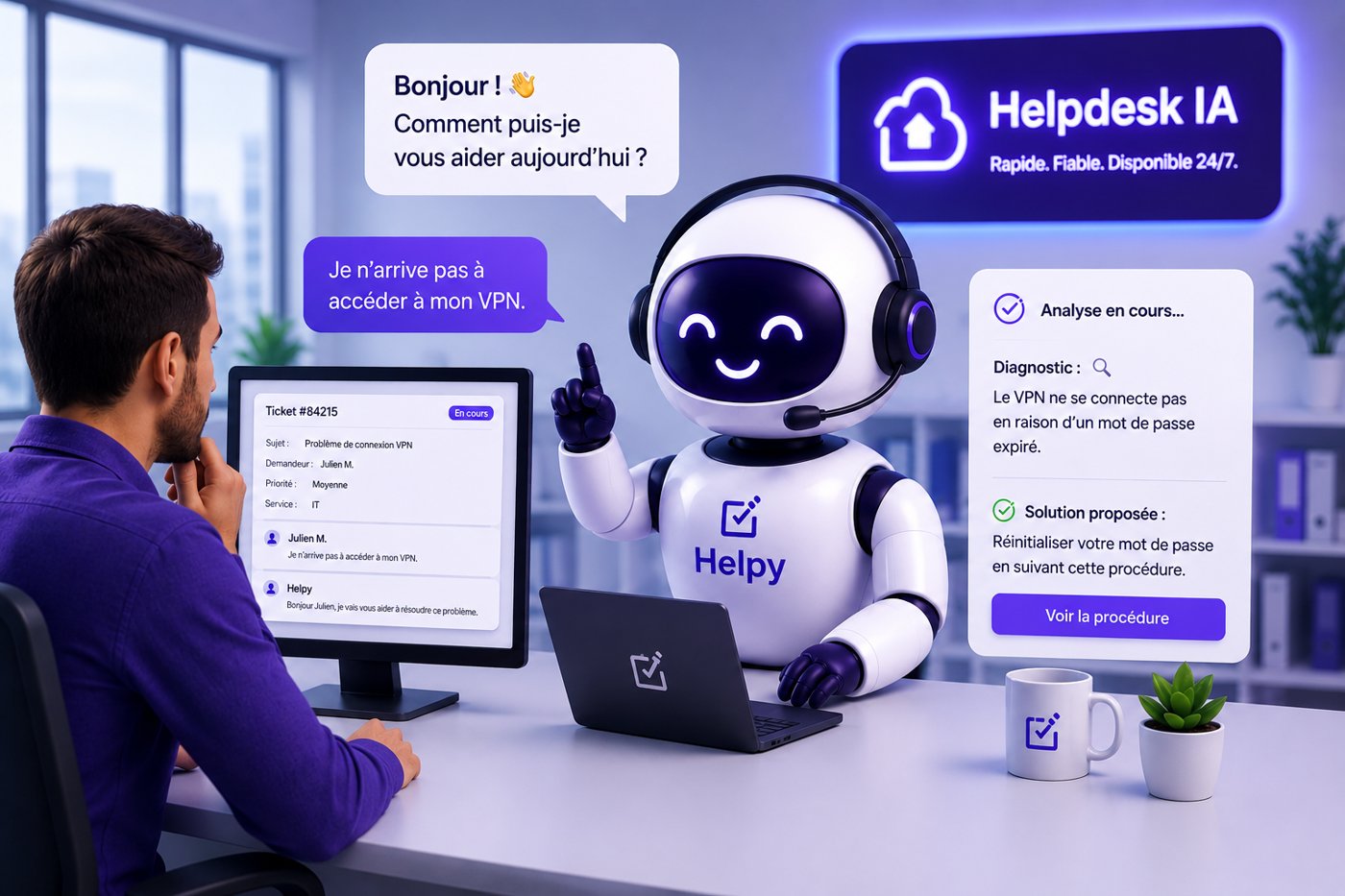
The term “helpdesk” encompasses three things that are often confused: a function (support), a profession (the technician), and a tool (the software). At IT Systèmes, we’ve been providing managed IT services since 2010: we manage helpdesks every day for dozens of organizations. This guide is based on that experience. It clarifies the three meanings of the term, explains what a helpdesk is really for, reviews the different types of solutions, and helps you choose the one that fits your situation, from traditional ticketing software to AI-enhanced support.
What is a help desk?
A helpdesk is the single point of contact between users and support, responsible for receiving, organizing, and resolving their requests. In French, it is referred to as a "centre d'assistance" or "service d'assistance."
In practice, when an employee can no longer connect to the VPN, a customer reports a bug, or a user has forgotten their password, the helpdesk receives the request, assesses it, and either handles it or directs it to the appropriate person. Each request becomes a “ticket” that is tracked until it is resolved.
The term refers both to the function (the team and its organization) and to the software that supports it. It is this dual meaning that causes confusion.
Internal help desk or external help desk?
There are two main groups, and they face different challenges.
The internal helpdesk (or IT helpdesk) handles requests from company employees regarding issues with workstations, access, email, and business applications. It provides day-to-day IT support.
The external helpdesk handles customer inquiries: questions about a product, complaints, and order tracking. This is generally referred to as customer support or after-sales service.
Both share the same core features (tickets, knowledge base, escalation), but are designed for different audiences and serve different purposes. This guide focuses primarily on internal IT helpdesks, although most of the information applies to both.
Check out our help desk solution ->
What is the role of a help desk?
The role of a help desk goes far beyond simply "answering questions." It serves four functions.
Centralize. All requests come to one place, regardless of the channel (email, phone, chat, form). No more scattered requests that get overlooked.
Traceability. Every request is logged, tracked, and archived. We know who requested what, when, and what was done. This traceability is essential for measuring support quality and meeting service commitments.
Prioritize. Not all requests are equal. A downed production server takes precedence over a request to install software. The help desk categorizes and prioritizes requests.
Build on past experience. Resolved issues contribute to a knowledge base. The same issues aren't re-diagnosed from scratch every time.
Support levels: N1, N2, N3
Un helpdesk s'organise généralement en niveaux de support.
Le niveau 1 (N1) traite les demandes simples et fréquentes : réinitialisation de mot de passe, problème de connexion, question d'usage. C'est le plus gros volume et le moins complexe.
Level 2 (L2) handles incidents that require diagnosis: abnormal application behavior, network issues, or specific configuration problems.
Level 3 (N3) involves specialized expertise: infrastructure work, critical issues, and project support.
This tiered structure has a direct consequence, which we can see in our own operations: the majority of a help desk’s workload is concentrated on repetitive Level 1 support—precisely the part that is most amenable to automation. In our managed services operations, Level 1 support accounts for the bulk of ticket volume. We’ll come back to this later.
What is a help desk technician?
A help desk technician is the person who handles support tickets, typically at levels 1 and 2. Their job involves receiving requests, diagnosing issues, resolving or escalating them, and documenting the process. This is often an entry-level position in the IT field, requiring both technical skills (systems, networks, applications) and interpersonal skills (the ability to explain things clearly, patience, and clarity).
As we saw earlier, much of this work is repetitive. This is where the field is evolving the fastest. With the introduction of AI in support, the most routine tasks—such as forgotten passwords and general usage questions—are being automated, allowing technicians to refocus on troubleshooting, complex cases, and providing guidance. In our experience, this isn’t a threat to the job but rather an increase in value: it’s easier to retain a technician who is entrusted with interesting tasks than one who spends their day resetting passwords.
Types of help desk solutions
When you're looking for a help desk solution, you'll come across a wide variety of tools. Here's how to tell them apart.
Traditional ticketing software
This is the traditional solution: a tool that creates, organizes, and tracks tickets. The user submits a request, which becomes a ticket; a technician takes it on, resolves it, and closes it. Tools like GLPI (open source, widely used in French IT departments), Zendesk, or Freshdesk handle traceability, queues, and service level agreements very well. GLPI is, in fact, often the foundation we find at our clients’ sites.
Their limitation: they organize the work, but don’t do it themselves. The technician remains in charge of each resolution. A forgotten password ticket and a server incident follow the same path: they wait for a human to handle them.
The help desk solution with a knowledge base
A shift in ticketing: we’re adding a knowledge base (FAQs, articles, procedures) that allows users to find the answer themselves before opening a ticket. In theory, this reduces the volume of tickets. In practice, it doesn’t work well: the knowledge base needs to be kept up to date, and, more importantly, users need to take the time to search before asking. Most don’t. This is something we see all the time in the field.
The AI-powered helpdesk solution
This is the latest generation. AI no longer simply suggests an article; it understands the request, retrieves the answer from the database, and provides it directly to the user. The best solutions go a step further and perform the action: resetting a password, unlocking an account, or automatically opening or closing a ticket.
This is the key difference between traditional helpdesk software and an AI-powered helpdesk: the former organizes, while the latter resolves issues. But be careful—many solutions labeled “AI” are actually limited to a chatbot that answers questions without taking any action. The real value lies in action, not in conversation.
Why AI Is a Game-Changer for Help Desks
The initial observation is always the same, and we see it with nearly all the clients whose IT outsourcing we take over: the majority of help desk tickets are repetitive. Forgotten passwords, VPN access, email synchronization, permissions to be granted. These are requests that a technician handles ten times a day, and they place a heavy burden on the first-line support team.
Here’s the point we’re making—and it can be a bit of a hard sell: paying qualified technicians to reset passwords all day long is a waste. Not just a waste of money, but a waste of skill and motivation. Good technicians don’t stick around long in a job where they do the same thing over and over again.
Un helpdesk augmenté par l'IA s'attaque précisément à ce volume. Il traite en autonomie les demandes récurrentes, à toute heure, et laisse aux techniciens les cas qui demandent vraiment leur expertise. Chez nos 55 clients sous contrat d'hypergérance, de juin à août 2026, avec notre agent Helpy, 60 % des 1 889 tickets ont été clos sans intervention humaine, en 3 minutes en moyenne.
The key is to choose a solution that actually works —not just a chatbot that redirects users to an FAQ. That’s what separates a gimmick from a tool that transforms day-to-day support operations.
Our experience: We built our own AI-powered helpdesk solution, Helpy, and we’re using it for our internal IT support before offering it to our clients. Learn more about Helpy or read the full case study.
How to Choose a Help Desk Solution
The right choice depends on your situation. Here are some questions to ask yourself.
What is your volume of tickets, and what percentage of them are repetitive? If you handle few requests and they are varied, standard ticketing software will suffice. If you’re overwhelmed by repetitive requests, an AI-powered solution will make all the difference.
Internal or external helpdesk? Solutions designed for customer support (after-sales service) are different from those designed for internal IT support. Make sure the tool meets your actual needs.
How well does it integrate with your tools? A help desk solution is only valuable if it’s connected to your environment: your email system, your directory (Active Directory), and your business tools. A standalone solution leads to duplicate data entry.
What are the security and compliance requirements? Data hosting, GDPR and AI Act compliance, and access tracking: these criteria are critical in regulated industries.
What is the actual level of autonomy? Be wary of “AI” solutions that are nothing more than a fancy FAQ. Ask what the tool can do on its own: respond, yes, but also take action (reset, unlock, escalate with context)?
Do you retain ownership? With custom solutions, make sure to verify who owns the knowledge base, the configuration, and the data. Reversibility prevents vendor lock-in.
Mettre en place un helpdesk : les étapes
La réponse courte. Mettre en place un helpdesk, c'est d'abord savoir quelles demandes arrivent et qui les traite, avant de choisir un outil. Les étapes ci-dessous valent pour un helpdesk interne comme pour un service confié à un prestataire.
1. Faire l'inventaire des demandes
Relevez ce que demandent les utilisateurs, par quel canal et à qui. Vous verrez vite quelle part est répétitive (mots de passe, accès, messagerie) et quelle part demande un vrai diagnostic.
2. Choisir entre un helpdesk interne et un service externalisé
Un helpdesk interne demande une équipe disponible pendant les horaires de travail et un outil à administrer. Un service externalisé confie le support à un prestataire, qui apporte l'outil, l'équipe et la continuité pendant les congés. Un modèle mixte est courant : l'équipe interne garde la proximité, le prestataire prend le volume et les sujets pointus.
3. Reprendre l'outil de tickets existant
Si vous utilisez déjà un outil (GLPI, Zendesk, une boîte mail partagée), prévoyez la reprise de l'historique des tickets et des contacts, pour ne pas repartir de zéro.
4. Construire la base de connaissances
Rédigez les procédures des demandes les plus fréquentes. C'est cette base qui permet de répondre vite, et c'est elle qu'un agent IA utilise pour résoudre seul une partie des tickets.
5. Définir les niveaux de support et l'escalade
Fixez qui traite quoi (niveau 1, 2 ou 3), dans quel ordre de priorité selon la gravité, et comment un ticket passe d'un niveau à l'autre avec son contexte.
Pour vous faire aider, IT Systèmes propose un accompagnement au déploiement d'un helpdesk avec Helpy, son agent IA de support.
The right helpdesk depends on your situation
There is no single "best" helpdesk solution. For a small business with few tickets, a simple ticketing system will do the job. For an organization that handles a high volume of repetitive IT support requests, an AI-powered solution saves a considerable amount of time and improves the user experience.
The deciding factor is usually not the cost of the license, but the number of repetitive tasks you can take off your teams’ shoulders. That’s where the true return on investment comes into play.
Frequently Asked Questions About the Helpdesk
What is a help desk?
A helpdesk is the single point of contact responsible for receiving, organizing, and resolving user support requests. The term refers to both the function (the support team) and the software that powers it. There are two main types: the internal helpdesk (IT support for employees) and the external helpdesk (customer support).
What is the role of a help desk?
Centralize requests, track them, prioritize them, and document solutions in a knowledge base. A help desk ensures that no request is lost and that recurring issues aren’t re-diagnosed every time.
What is the difference between traditional helpdesk software and an AI solution?
Traditional helpdesk software organizes and tracks tickets, but resolution is still a manual process. An AI-powered helpdesk solution understands the request, formulates the response, and performs the action (resetting a password, unlocking an account) on its own. The former organizes the work, while the latter carries out part of it.
What is an IT help desk?
An IT help desk is an internal support service dedicated to helping company employees resolve technical issues related to their workstations, access, email, and applications. It differs from external customer support in terms of its target audience (employees) and the issues it addresses (the digital work environment).
How much does a help desk solution cost?
Cela dépend du type. Un logiciel de ticketing se paie souvent par agent et par mois. Une solution helpdesk augmentée par l'IA se facture selon le périmètre et le volume. Chez IT Systèmes, le support des utilisateurs avec notre agent IA Helpy fait partie de l'hypergérance : 15 € HT par utilisateur et par mois (Forfait Essentiel), à partir de 5 utilisateurs, hors déplacement.
Does an AI-powered helpdesk replace technicians?
No. It handles the repetitive, well-documented portion of support tickets (Level 1), which frees up technicians to focus on complex incidents, projects, and security. For sensitive actions, human approval is still required. The role of a technician is evolving toward providing greater value—it is not going away.
Comment mettre en place un helpdesk ?
En cinq étapes : faire l'inventaire des demandes, choisir entre un helpdesk interne et un service externalisé, reprendre l'outil de tickets existant, construire la base de connaissances, puis définir les niveaux de support et l'escalade. L'outil vient après l'organisation, pas avant.
Learn more
L'hypergérance, en une phrase. L'hypergérance est une infogérance augmentée par l'intelligence artificielle : la gestion complète du système d'information d'une PME ou d'une ETI (support, supervision, sécurité, cloud), dans laquelle une part croissante des opérations, à commencer par le support de niveau 1, est automatisée par des agents IA sous supervision humaine. Le terme a été créé par IT Systèmes. Découvrir l'hypergérance
Si vous voulez automatiser la partie répétitive de votre support informatique, découvrez Helpy, notre solution helpdesk augmentée par l'IA : chez nos 55 clients sous contrat, de juin à août 2026, 60 % des 1 889 tickets ont été clos sans intervention humaine, en 3 minutes en moyenne. Helpy s'intègre à votre ITSM.
To understand how to categorize an AI project (simple tool, business agent, or major transformation), read our guide: AI Tools, AI Agents, and Strategic AI Projects: Choosing the Right Level.
Lire également notre étude de cas : comment nous avons déployé l'agent IA Helpy sur notre propre support
Parler de votre helpdesk avec nos équipes







.svg)