.svg)
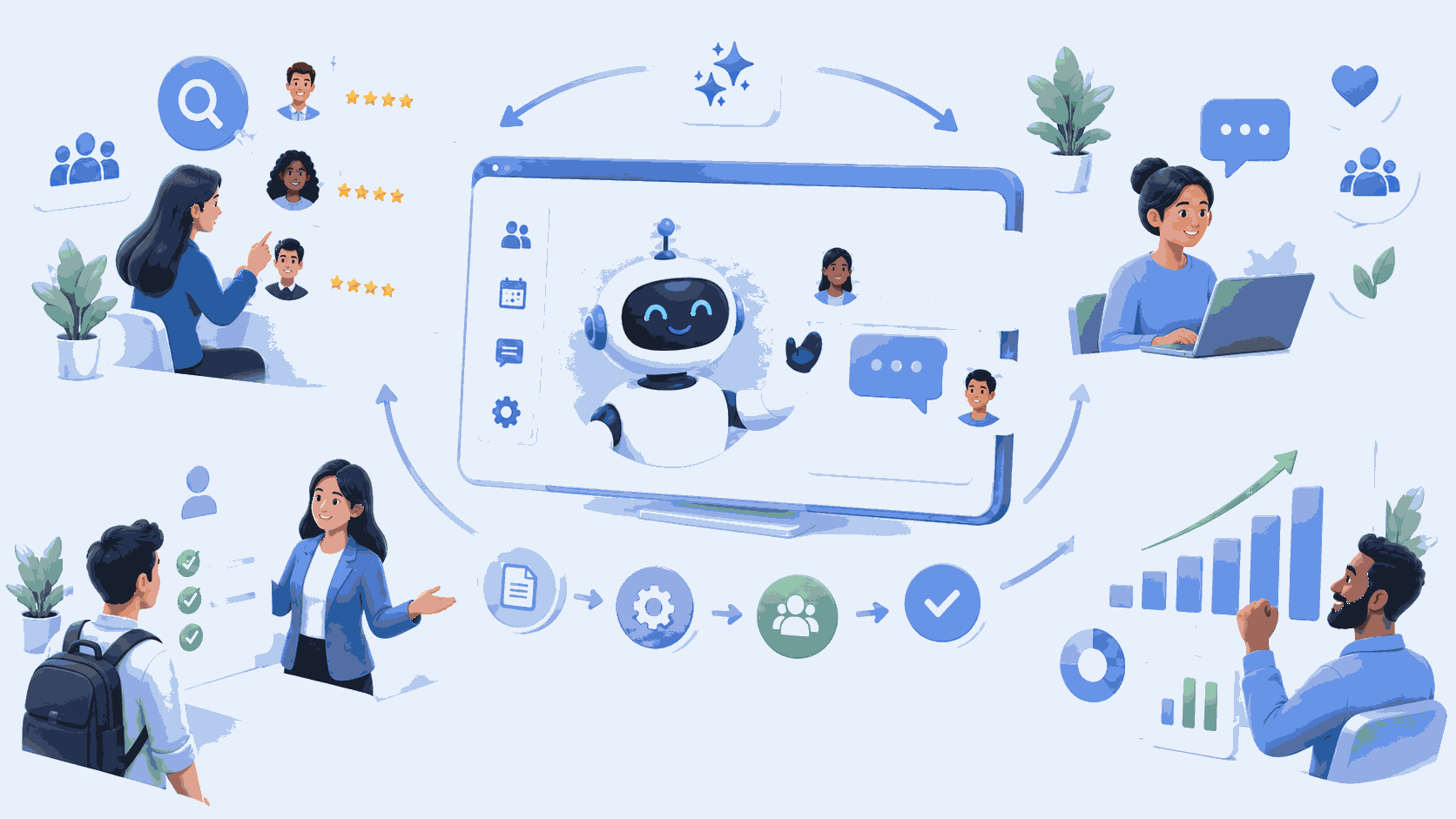
Preparing for a new hire, sorting through applications, answering a question about time off for the tenth time this week: a significant portion of HR teams’ time is spent on repetitive tasks. An AI agent can take over some of these tasks, provided it is integrated with your tools (HRIS, Active Directory or Entra ID, Microsoft 365) and limited to specific use cases.
HR has one unique aspect that other functions do not: as soon as an HR professional gets involved in recruitment, legal considerations come into play. This article reviews best practices, legal requirements, and how to measure an HR professional's impact.
Where an AI Agent Really Helps HR
HR processes lend themselves well to automation when they involve a consistent volume of tasks (new hires, leave requests, administrative inquiries), stable procedures, and a significant amount of information retrieval from existing systems. The agent handles the logistics and the research. It does not make decisions about people: selecting a candidate, evaluating an employee, or managing a conflict remain human tasks.
Real-World Use Cases for AI Agents in HR
Onboarding: The Most Mature Case
This is also the role that most closely resembles that of an IT services company. The agent starts with the new hire’s information recorded in the HRIS or on a simple HR form, creates the account in Entra ID, assigns Microsoft 365 licenses based on the position, adds the employee to the appropriate Teams and SharePoint groups, sends welcome messages, and notifies support to prepare the workstation. A technician validates the process before execution and receives a report upon completion.
The benefits can be seen in three metrics, which should be tracked during the pilot: time per onboarding, the time it takes for the workstation to become operational, and the number of oversights (a missing access right, an unassigned license). The complete process is described in our “Employee Onboarding Agent” fact sheet.
Recruitment: Logistics, Yes; Grades, No
Recruiting requires a lot of coordination: scheduling interviews across multiple calendars, following up with candidates, keeping them informed at every stage, and answering practical questions. An AI agent does all of this very well. It can also prepare a summary of a resume for the recruiter based on the job description.
Where we advise against going too far is with the automatic ranking of applications. A system that learns from profiles selected in the past will replicate those past choices—biases and all. And a system that sorts or rates candidates falls into the “high-risk” category under the AI Act (see below). The decision to select or reject someone must remain the recruiter’s.
Frequently Asked HR Questions
Vacation time, pay stubs, health insurance, internal procedures: the answers already exist somewhere in the HR documentation. An agent connected to this database responds to employees in natural language, providing up-to-date information, and forwards cases it cannot handle or that are sensitive to a human agent. Employees must be aware that they are interacting with an AI: this has been a requirement since August 2, 2026.
What the Law Requires
Several regulations govern the use of AI in HR, and some of them are already in effect:
- AI Act, high-risk systems: An AI system used to sort, filter, or evaluate job applications falls under Annex III. The corresponding obligations (risk management, human oversight, documentation, and notification of employee representatives) have been deferred to December 2, 2027, by the Digital Omnibus Act adopted in June 2026 (analysis by Quantic Avocats).
- AI Act, Transparency (Section 50): Effective as of August 2, 2026. Any person interacting with a chatbot must be informed of this.
- GDPR, Article 22: A person has the right not to be subject to a decision based solely on automated processing that significantly affects them. Rejecting a candidate without human intervention falls under this provision.
- Labor Code: Candidates must be informed of the recruitment assistance methods and techniques used (Article L1221-8); no information about them may be collected by a system of which they are unaware (L1221-9); and the Social and Economic Committee (CSE) must be informed of these methods before they are used (L2312-38).
We are not legal experts: these points should be reviewed with your DPO or legal counsel before launch. But an HR project that hasn't addressed them from the outset is taking an unnecessary risk.
The Benefits: What the Studies Say—and What They Don't Say
The most frequently cited study on this topic is that by Brynjolfsson, Li, and Raymond (Quarterly Journal of Economics, 2025). It examined 5,179 customer service representatives equipped with an AI assistant: the number of requests resolved per hour increased by 14% on average, and by 34% among the least experienced representatives. This is a solid result, but it pertains to customer support, not HR.
For your HR processes, the most reliable approach is to measure the results yourself. During the pilot, we track the time spent per incoming request or per request before and after implementation, the percentage of requests processed without human intervention, and any errors identified afterward. For the calculation method, see “Productivity Gains from AI Agents: 2026 Industry Benchmarks” and “What ROI Can You Expect from an AI Agent Project?”
How IT Systèmes Deploys an AI Agent for HR
The project begins with a scoping phase: which HR process is the most time-consuming, which systems need to be integrated (HRIS, Entra ID, Microsoft 365, recruitment tool), what is the current state of the data, and what legal requirements apply to the selected case.
Next comes a pilot focused on a single use case, typically onboarding. Its duration depends on the number of systems to be connected and is determined at the end of the scoping phase. Metrics are tracked throughout the pilot.
If the results warrant it, the tool will be expanded to address recurring HR issues and then to recruitment logistics.
In terms of budget, expect to spend between €5,000 (excluding tax) for a single-task agent and €30,000 (excluding tax) for a multi-agent solution. Details on the cost components can be found in “How Much Does an AI Agent Cost for a Business?”
Frequently asked questions
Can an AI agent replace a recruiter?
No. It plans, follows up, and prepares summaries. The evaluation of candidates and the final decision remain human tasks—as required by the GDPR and, starting in December 2027, the AI Act for candidate screening systems.
Can an AI agent sort resumes automatically?
Technically, yes, but this is the most strictly regulated use case. A system that screens or rates job applications is classified as high-risk under the AI Act, and a candidate cannot be rejected based on a fully automated decision. We recommend limiting the agent’s role to preparing information for the recruiter.
Should employees and the CSE be notified?
Yes. Employees must be aware that they are interacting with an AI; candidates must be informed of the recruitment methods used; and the Works Council must be informed before these methods are implemented.
What data is needed before deploying an HR AI agent?
An up-to-date HRIS, a structured HR knowledge base (leave policies, procedures, internal FAQs), and access to directories and Microsoft 365. If this data is outdated or incomplete, it must be thoroughly updated before launching the bot.
How long does it take to deploy an onboarding agent?
It depends mainly on the number of systems to be connected and the condition of the data. The duration of the pilot test is determined at the end of the configuration phase.
Learn more
Want to know which HR process to automate first? Our custom AI agents for businesses showcase the use cases we’ve implemented, and you can describe your processes to us so we can discuss them.






.svg)